Import from chess.com and lichess.org
Both sites are supported, and both keep your import inside their own usage terms.
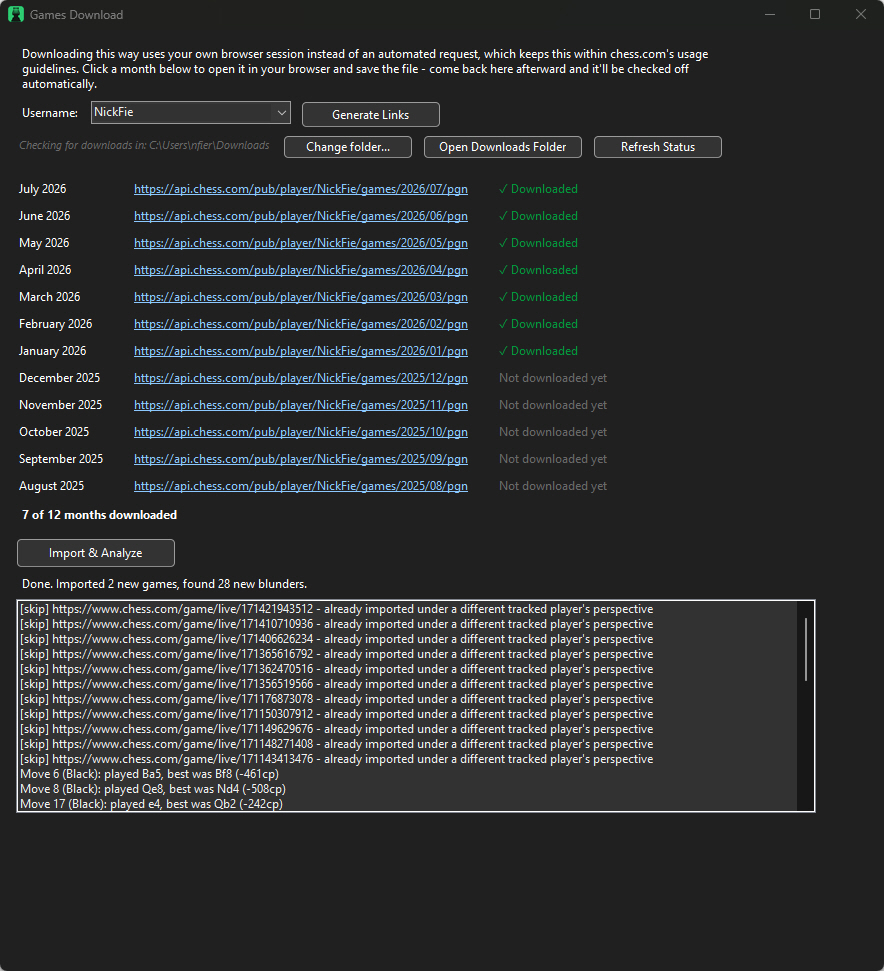
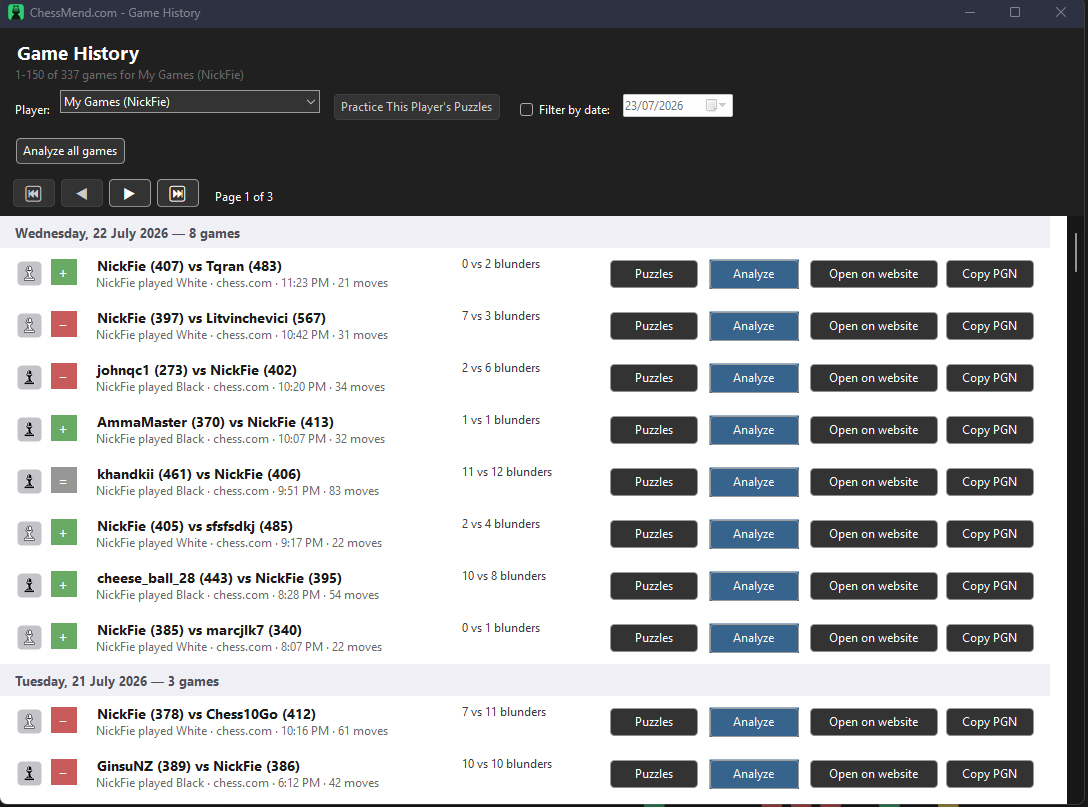
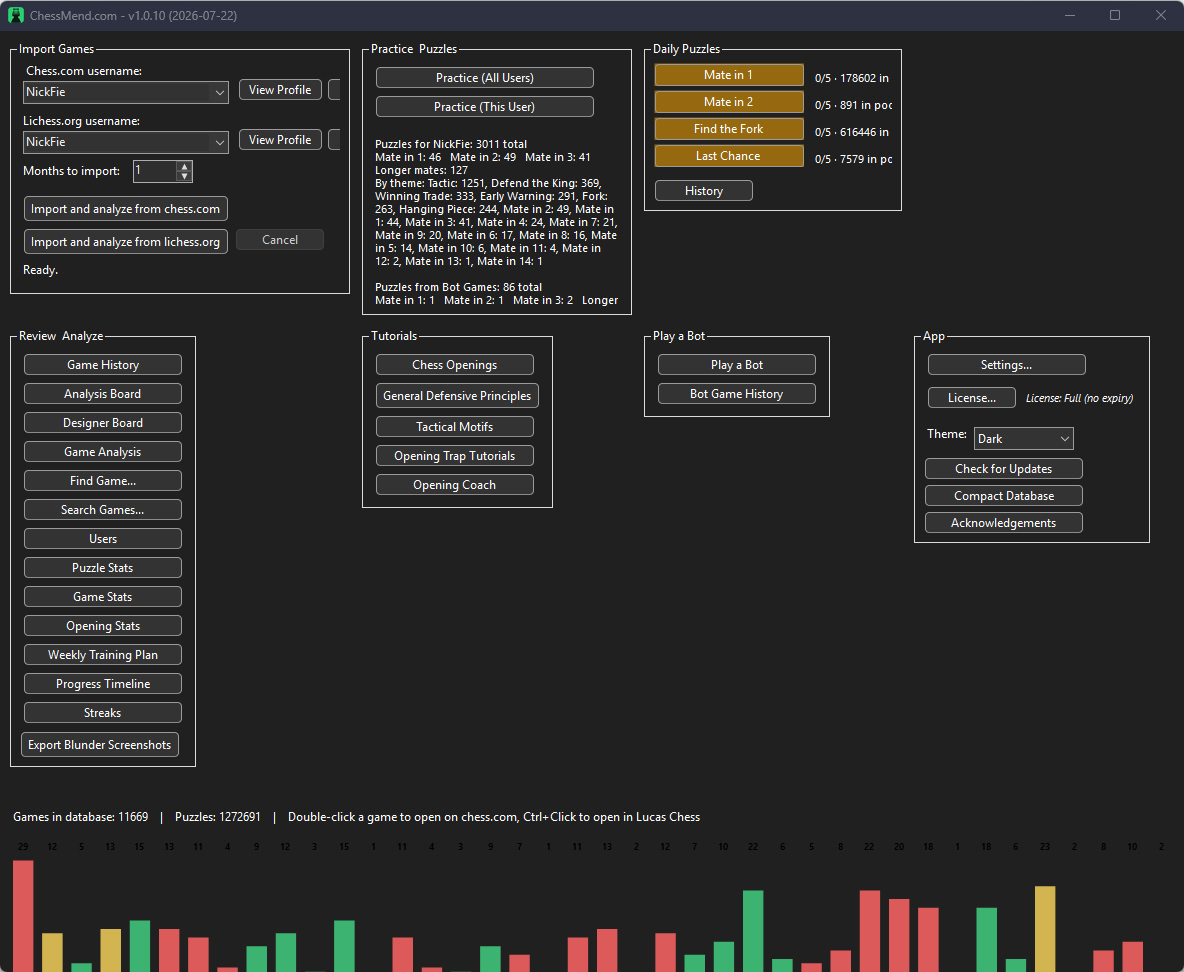
chess.com restricts automated downloading, so ChessMend routes imports through your own browser session instead of scraping — pick a month, it opens directly on chess.com, and the app detects the saved file and checks it off automatically. lichess.org's public API has no such restriction, so ChessMend pulls your whole history directly in one click — no browser hop, no manual file step, straight into Stockfish analysis. It's fetched month by month with checkpointing, so even a very large history imports in the background and can resume if interrupted. A single game can also be imported by link, or loaded from a local PGN file.
Full game review
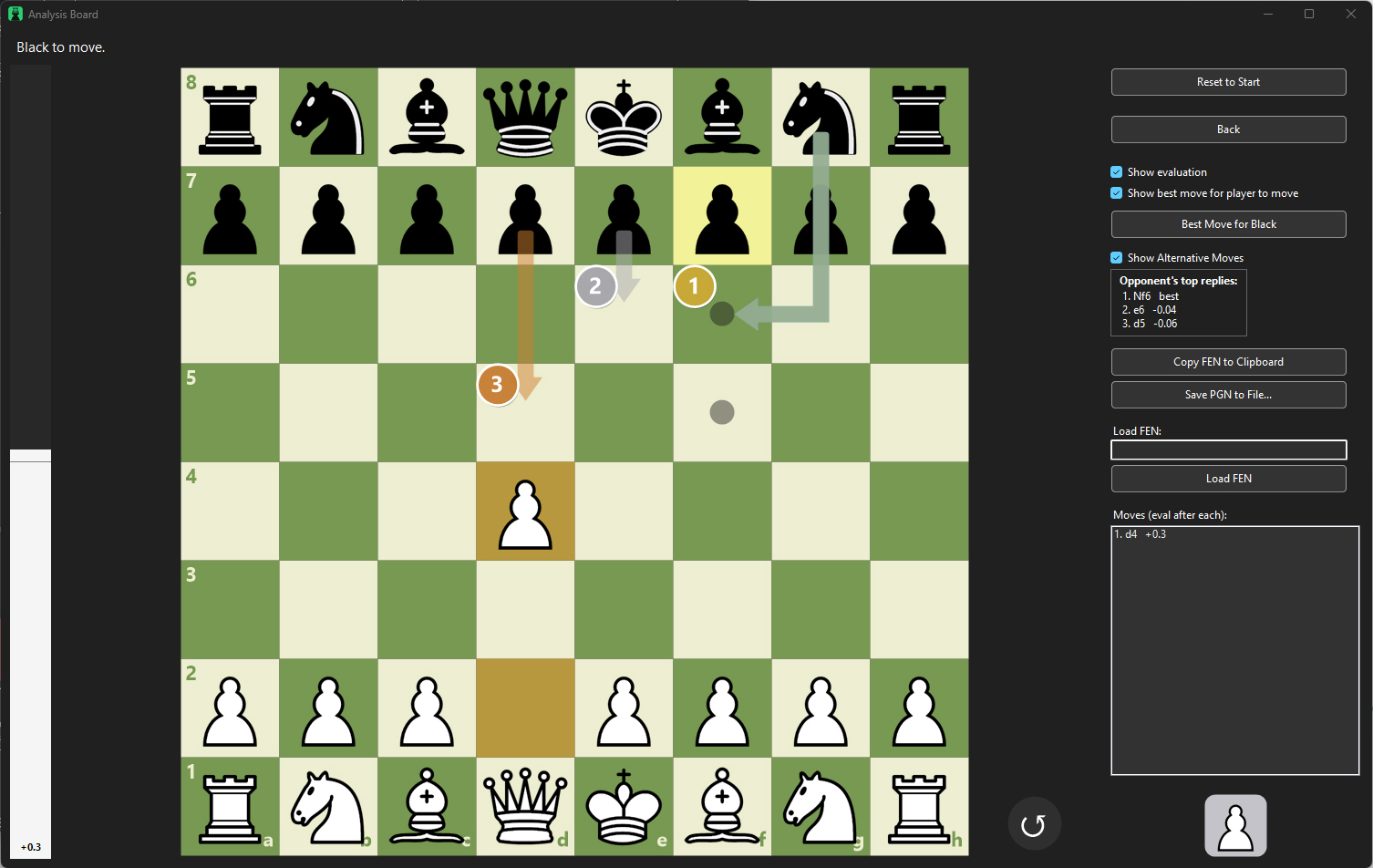
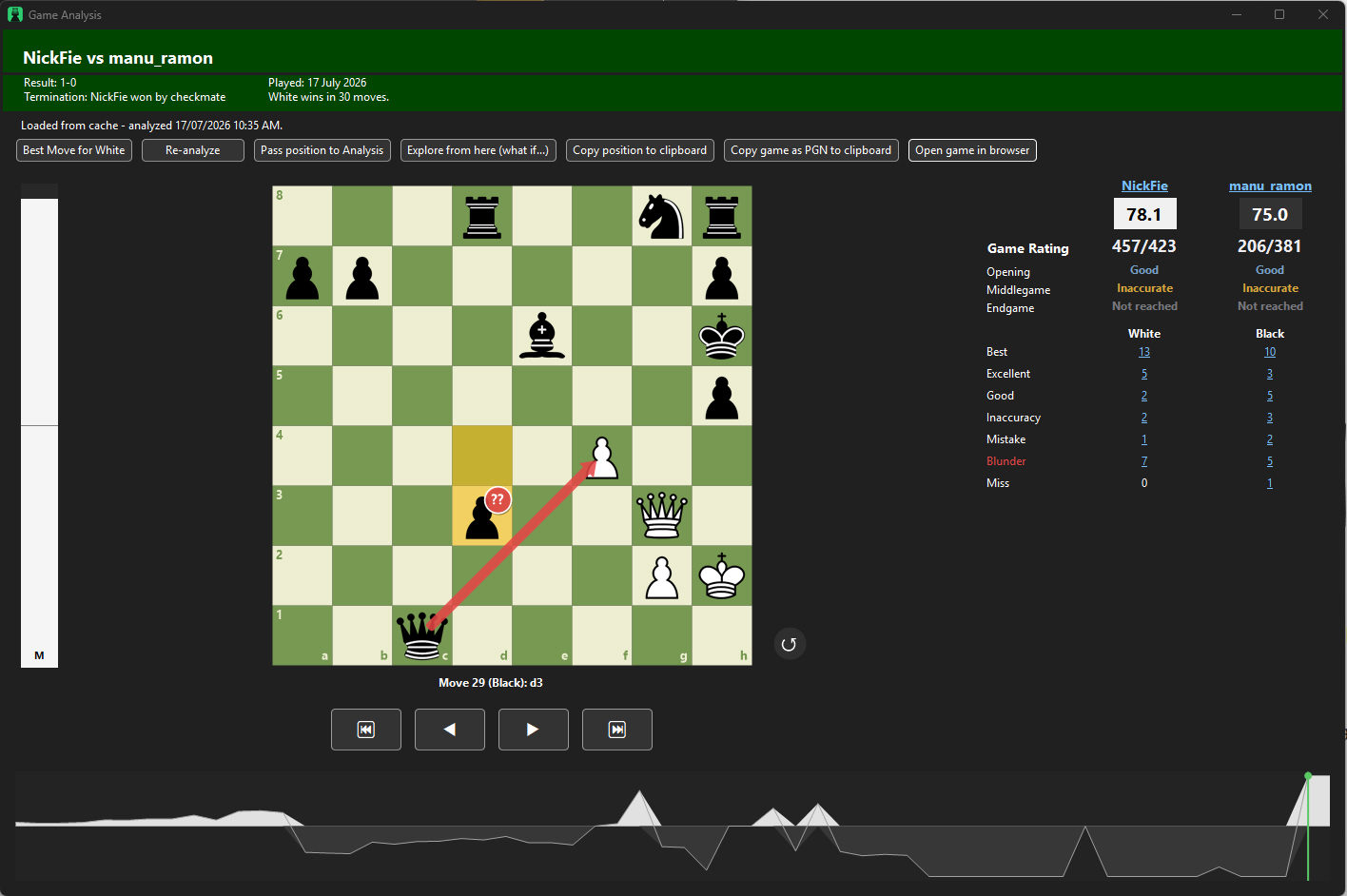
This is where it gets instructive: rather than showing only the single best move, ChessMend can rank the top few candidate replies side by side with their evaluations.
When two or three moves come out nearly equal, that's a real signal — the position doesn't hinge on finding one exact move, and it's worth seeing why several different ideas hold up. When only one move keeps the evaluation from collapsing, that's worth noticing too. Every move for both players is scored into a quality tier — Best through Blunder — broken down separately by opening, middlegame and endgame, with an eval graph making it easy to spot exactly where a game swung.
Stats, Smart Elo & Training Advisor
Numbers across your whole history, and a coach that reads them for you.
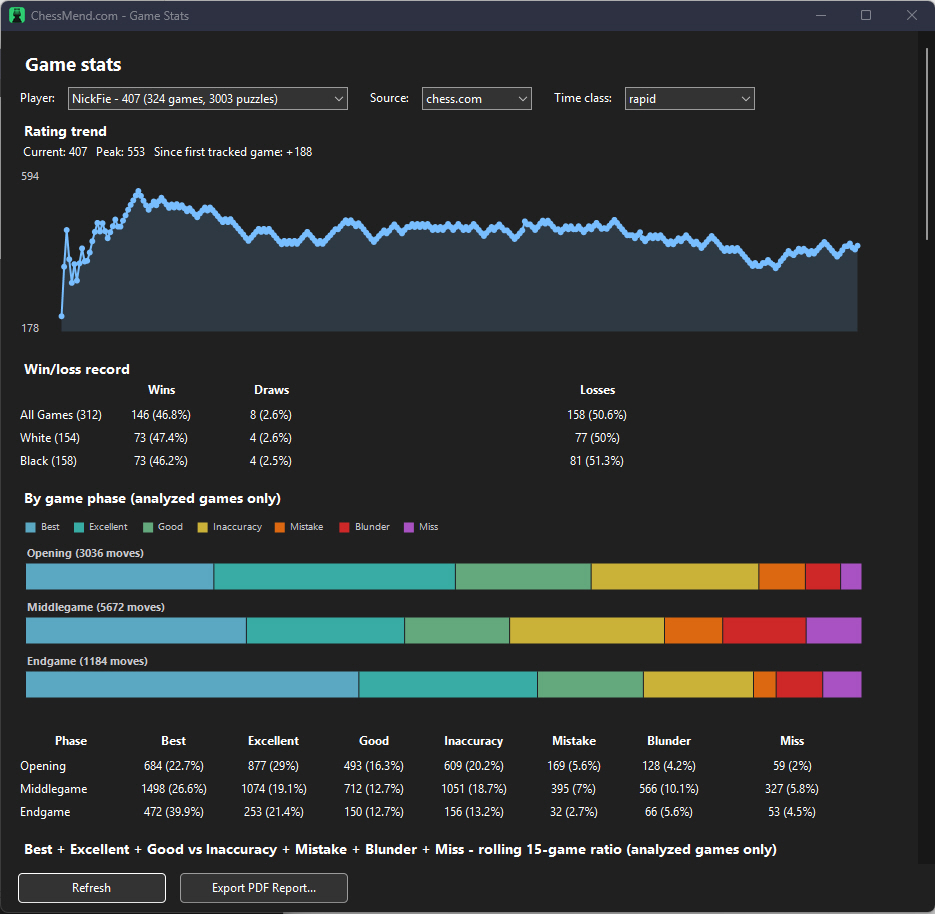
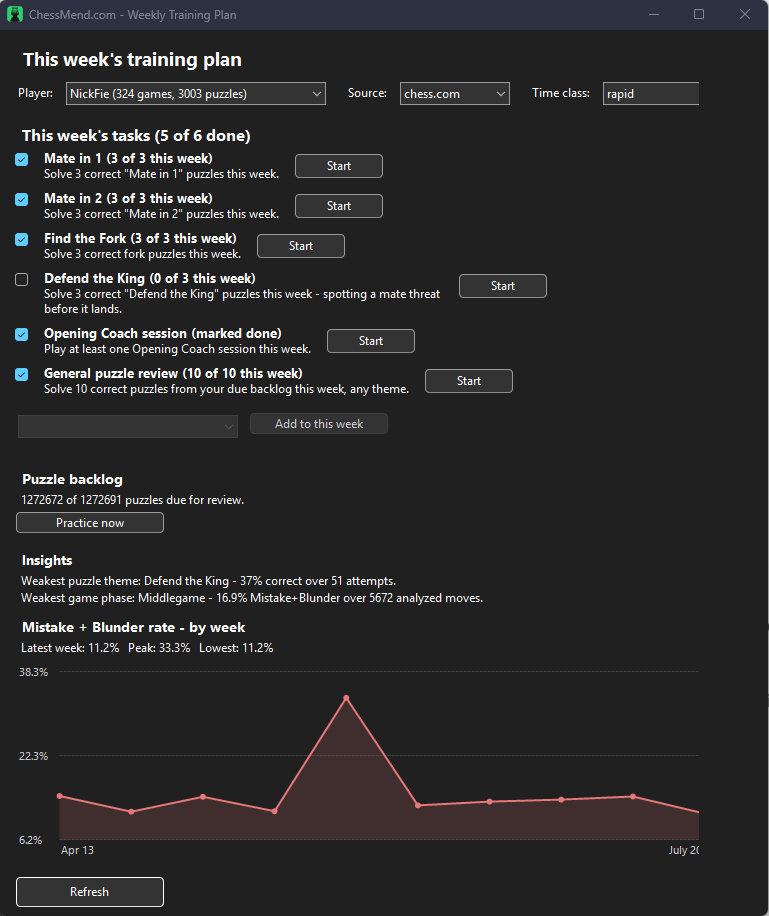
Game Stats tracks accuracy and blunder-rate trends over time, split by phase of the game, alongside an experimental Smart Elo estimate based purely on move quality rather than results. Training Advisor turns those numbers into plain-English notes — which phase to prioritize, which error is costing you most — and the Weekly Training Plan bundles a puzzle backlog, your weakest theme or phase, and a Mistake+Blunder trend into one weekly summary, with a pointer into Opening Coach when the opening itself is the clear leak.
We're testing a noise-free way to measure rating — and looking for volunteers →
Two sources, one workflow
chess.com and lichess.org both supported, plus a single game by link or a local PGN file. lichess.org imports in one click — no browser step required.
Unlimited, not rationed
Every imported game gets a full Stockfish pass — no daily cap, no subscription required for the engine itself.
More than just "the" best move
See the top few replies ranked together, so you learn when a position is sharp versus when several ideas hold up.
Stats over your whole history
Accuracy and blunder rate by phase, tracked over time — not just a single game's snapshot.
A rating estimate from move quality
An experimental Elo estimate built purely from how well you actually play, independent of results.
Training Advisor & Weekly Plan
Plain-English notes on where to focus, bundled into one weekly summary with a link to the right drill.
Explore the rest of the app
Opening Coach & Stats
See which openings win or lose you games, then drill a repertoire against a coach.
Import & Game Review
You're here.
Puzzles & Spaced Repetition
Puzzles built from your own blunders, plus single-attempt exams and short survival drills.
Bots & Opening Traps
An adjustable engine opponent and twenty scripted trap-heavy openings.